Available for Windows
Spectral dynamics · spectral placement
Spectral Comp + Pan
Shape the tone of a single-note line as its pitch changes. Follow the fundamental to control the body of each note while leaving its upper harmonics alone, or protect the fundamental and work on the overtones. You can also use another track as a key to compress or pan the frequencies where the two parts overlap.
This is a one-time price. Purchase is handled through secure Polar checkout.
Pitch tracking and sidechain
Follow the note, or make room for another track.
On a bass line, use Focus Fundamental with full pitch tracking to tame a boomy note while preserving the harmonics that give it definition. On a bowed string or synth lead, Avoid Fundamental keeps the core of each note intact while you control the brighter energy above it. The processing band follows the pitch from note to note within the frequency limits you set.
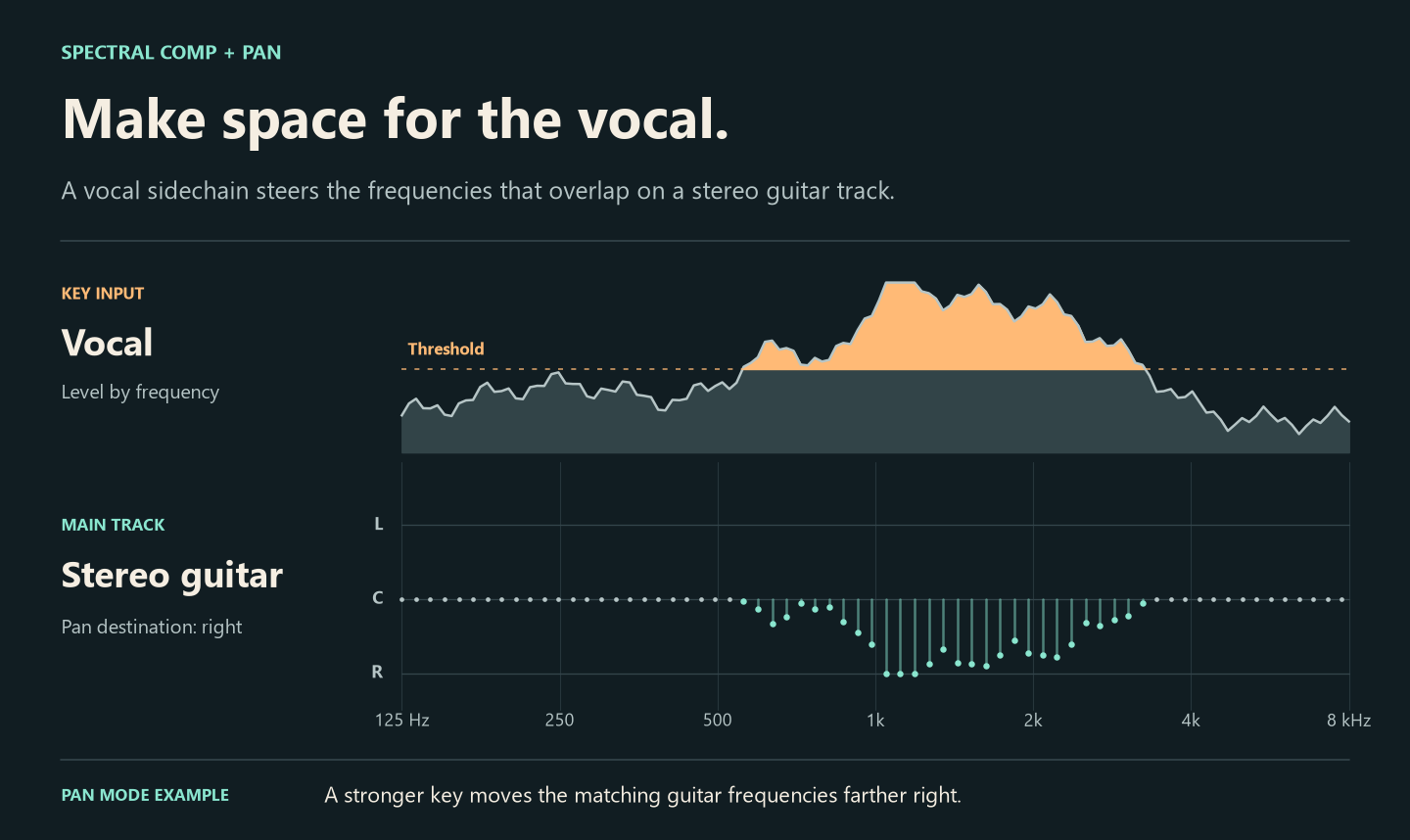
For two parts competing in a mix, insert the plug-in on the track you want to change and send the other track to the external key. Where the key exceeds the threshold, matching frequencies on the first track can duck, move toward a chosen side in stereo, or do both. The illustration shows one example with a vocal key and a stereo guitar.
- CompressApplies frequency-by-frequency reduction inside the selected band.
- PanMoves the selected frequencies together toward the side you choose. Use a stereo track to hear the placement.
- Compress + PanCompresses the selected frequencies first, then pans them. Set the two amounts independently.
- Main or external keyLet the track trigger its own processing, or send another track to the key input.