Available for Windows
One decay · two slopes
Double Slope
In a hall coupled to a second chamber, the first wash of sound can fade while a quieter resonance hangs in the air. Double Slope brings that two-stage decay to a reverb return. Set where the second slope takes over and how long it lingers.
This is a one-time price. Purchase is handled through secure Polar checkout.
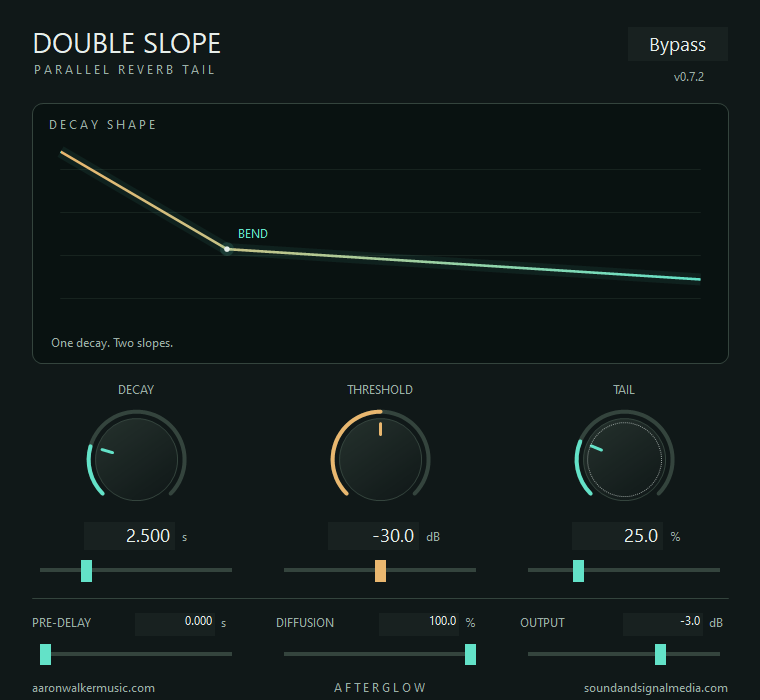
A parallel tail for an existing reverb return
Give an existing reverb a longer second decay.
Insert Double Slope after your reverb. The original return comes through alongside a second tail. On a held chord, listen for the moment the first wash gives way to the quieter tail.
- DecaySets how long the added tail rings, up to 10 seconds.
- Threshold and TailSet where the second slope takes over, then blend it with the original return.
- Pre-delayDelay the start of the added tail by up to one second.
- DiffusionAdjust how tightly the echoes in the added tail blend together.
- AfterglowThe blue glow follows the added tail, including the last part that can be hard to hear in a full mix.
Explore the rest of the collection.
Return to the store for the rest of the Windows tools and the Android practice and field apps.